

Stops and resumes, even after a restart
Close the app, lose the network or restart Windows. The download picks up from where it stopped.
Download manager for Windows
Premium Download Manager opens up to 32 connections to one file, keeps rebalancing them while it downloads, and picks up where it stopped after any interruption.
Scroll to follow one file from the first request to the finished download.
Instead of one long transfer, the file becomes several parts. Each part gets its own connection to the server.
Up to 32 connections work side by side, so the parts arrive together instead of one after another.
When a connection finishes its part, it takes over half of the largest part still waiting. No connection sits idle.
The finished parts are merged into one file and saved to the folder for its type. If the network dropped along the way, the download resumed from where it stopped.
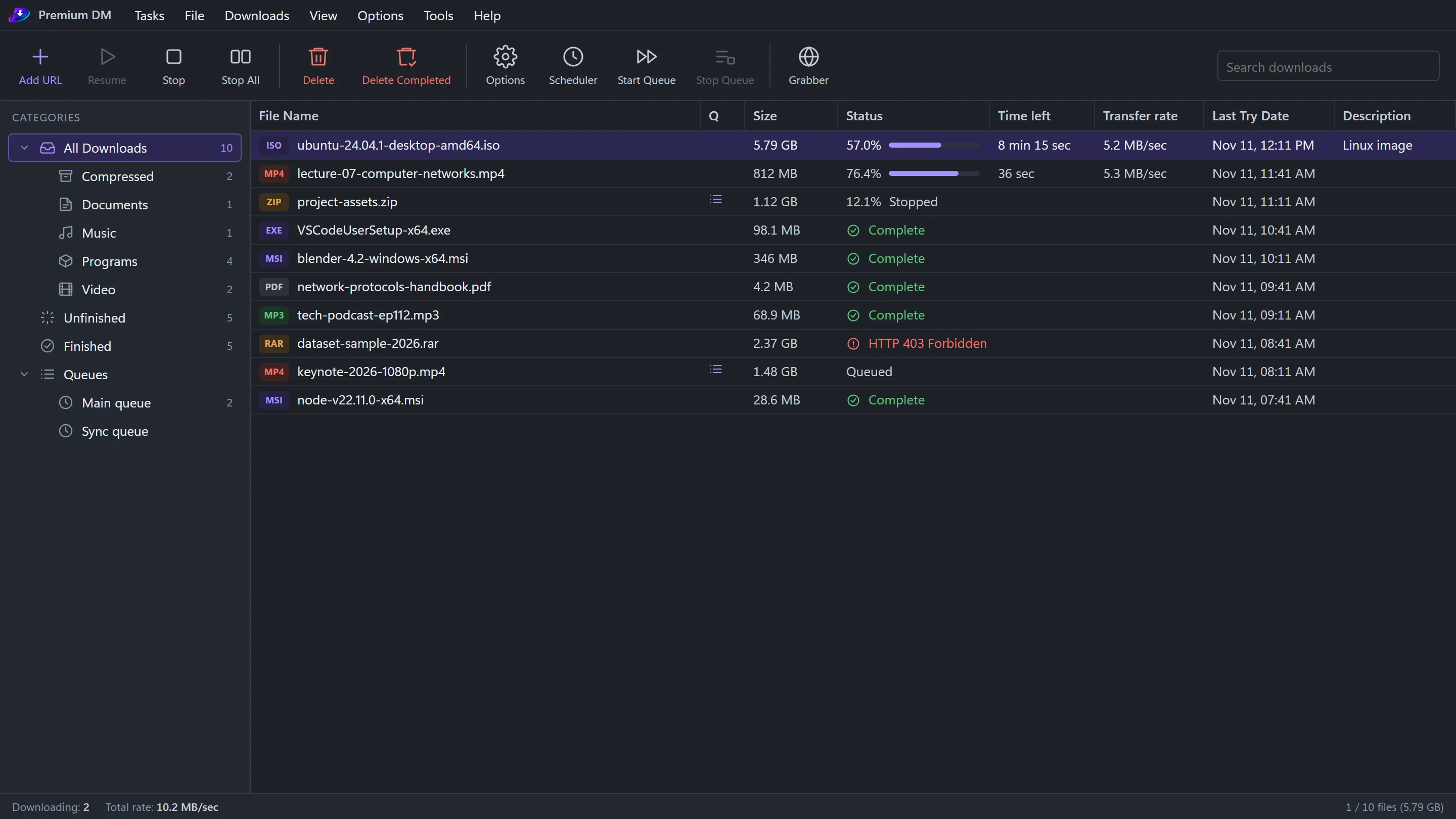
The whole app is a single window. Here is what each layer does.
Add, stop, resume and schedule. The actions you use most are one click away.

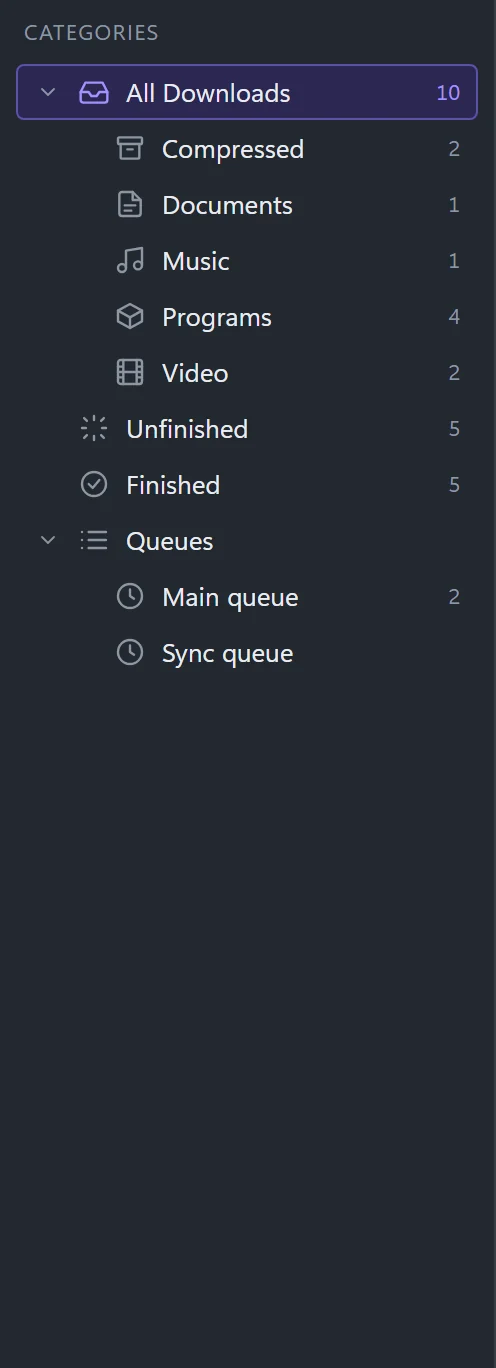
Files sort themselves into folders by type. Your queues sit right below.
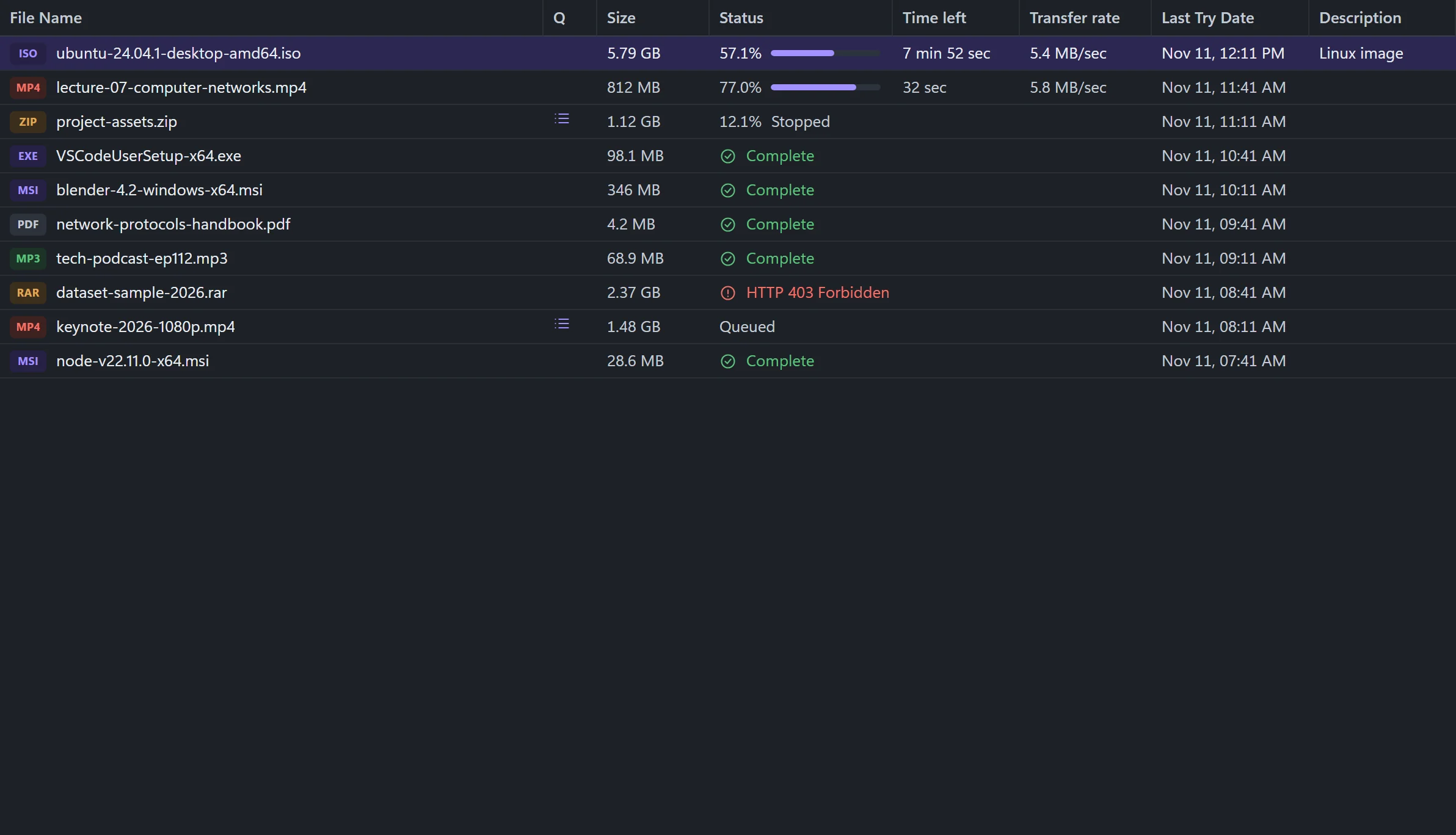
Size, status, speed and time left for every file, updated live.
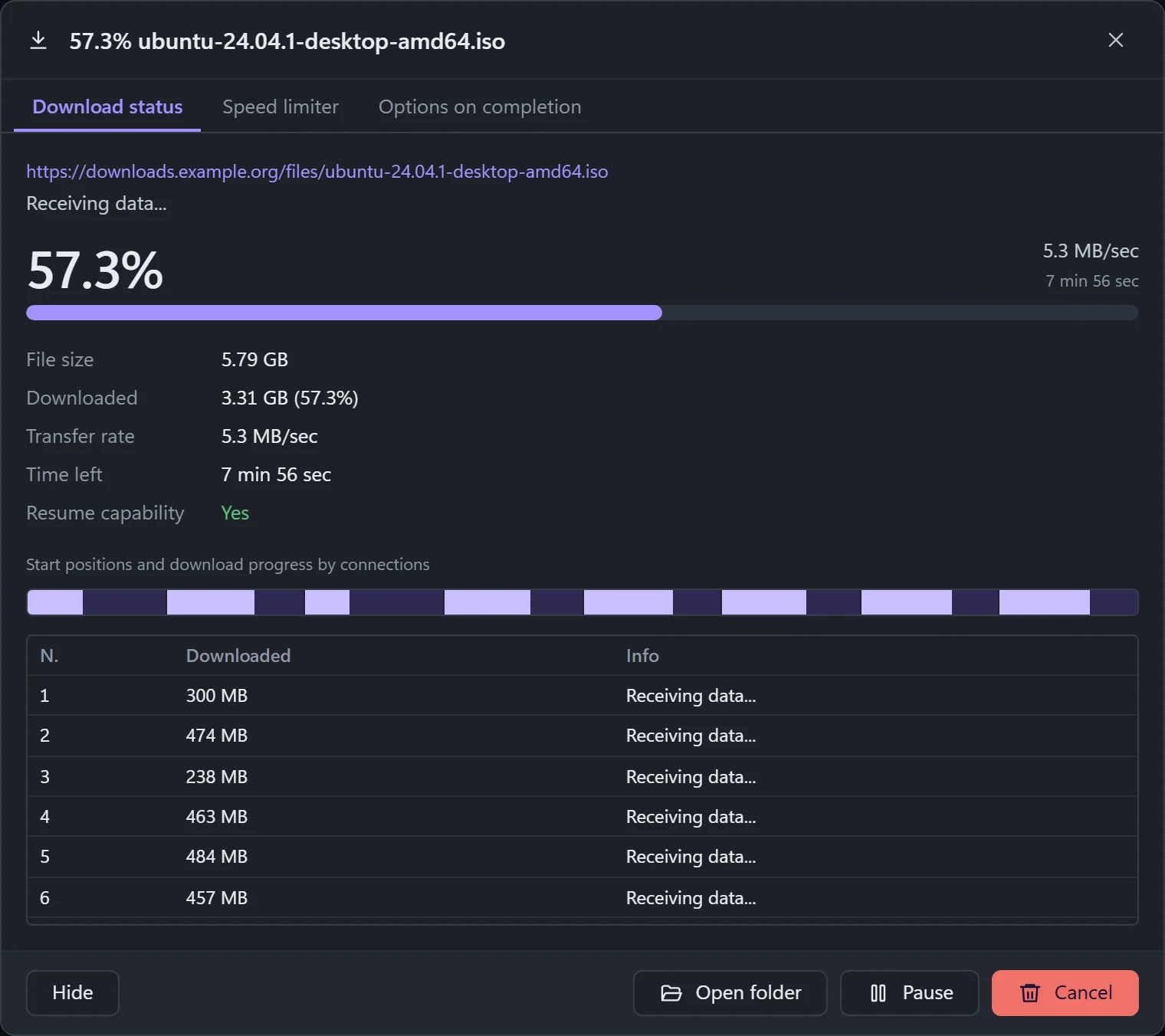
Open any download to watch each connection do its share.
Close the app, lose the network or restart Windows. The download picks up from where it stopped.
Line downloads up and run them at the hours you choose. The PC can shut down when they finish.
Cap the speed for everything or for one file, and set a download quota.
Collect every file of one type from a page and the pages it links to.
Paste a list of links, or a numbered range like file[01-20].zip.
Save HLS streams. With ffmpeg installed they become MP4 without re-encoding.
HTTP and SOCKS5 proxies. Site passwords are encrypted by Windows.
Hand every finished file to your antivirus automatically.
New in 1.0.1 Measured on a real PC: Wi-Fi at 10.5 MB/s plus a phone over USB at 7.1 MB/s gave 19.3 MB/s together.
One download can use several internet connections at once, such as Wi-Fi, Ethernet and a phone over USB. Each network fetches different parts of the file, the faster one takes more, and if one drops out the others carry on. Turn it on from Tools, Combine networks.
Arabic runs fully right to left, and the app picks your Windows language on first start.
The extension for Chrome and Edge hands downloads to the app, adds a right-click command, and puts a download button over videos. It talks only to the app on your own PC.
Included with the app. Set it up from Help, Browser integration.
Microsoft Store version: coming soon
The installer is not code-signed yet, so Windows SmartScreen may ask you to confirm. Choose More info, then Run anyway.
No ads. No account. No tracking. Your download list stays on your computer. Read the privacy policy